Cutting Household Food Waste by 40% with Expiry-First Design
A smart pantry app that tackles a $473 billion global crisis — household food waste — by connecting what's already in your fridge to what you should cook tonight.
The Problem
The average American household throws away 31.9% of the food it buys — roughly $1,500/year. It's the spinach liquefying in the crisper, the yogurt hidden behind leftovers, the chicken you forgot you bought. Homes are the single largest source of food waste in the U.S. — bigger than restaurants and grocery stores combined. The tools that exist don't solve this: recipe apps start with recipes, grocery apps track prices but not pantries, and meal planners require manual entry nobody sustains past week one.
Goals
- ▸Replace 'what should I cook?' with 'what do I need to use before it goes bad?'
- ▸Reduce scan-to-pantry time to under 5 seconds so the habit sticks past day one
- ▸Connect pantry inventory to recipes, then connect missing ingredients to the cheapest nearby store
- ▸Design for the real moment: standing in the kitchen at 6pm, tired, deciding whether to cook or order delivery
Key Findings
I surveyed 32 home cooks, conducted 8 in-depth interviews, and analyzed 7 competing food apps. I also reviewed USDA waste data, ReFED insights, and academic research on habit formation.
67% of respondents discover expired food while cleaning — not before meals when it could still be used. The average household buys duplicate items 2–3 times per month because they forgot what they had
Every competitor starts with the wrong screen. Recipe apps open to 'browse.' Grocery apps open to 'build a list.' Neither starts with what the user actually has — the only input that matters for reducing waste
Apps requiring manual entry see 73% abandonment within 7 days. Barcode scanning is the only input method with sustained engagement past 30 days
78% of participants check multiple apps or flyers while shopping. No tool links 'you need these 3 ingredients' to 'here's where to buy them cheapest within 5 miles'
From Wireframes to High Fidelity
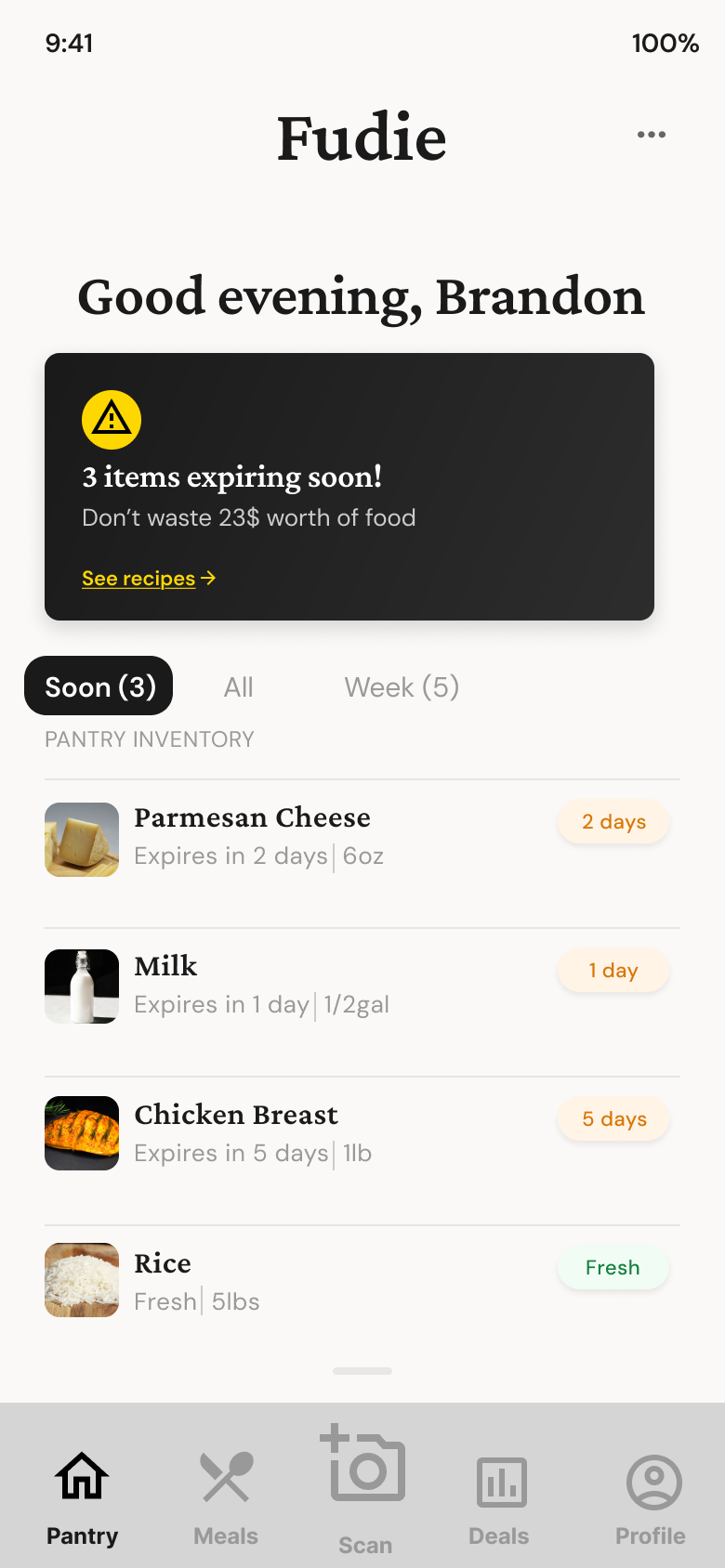
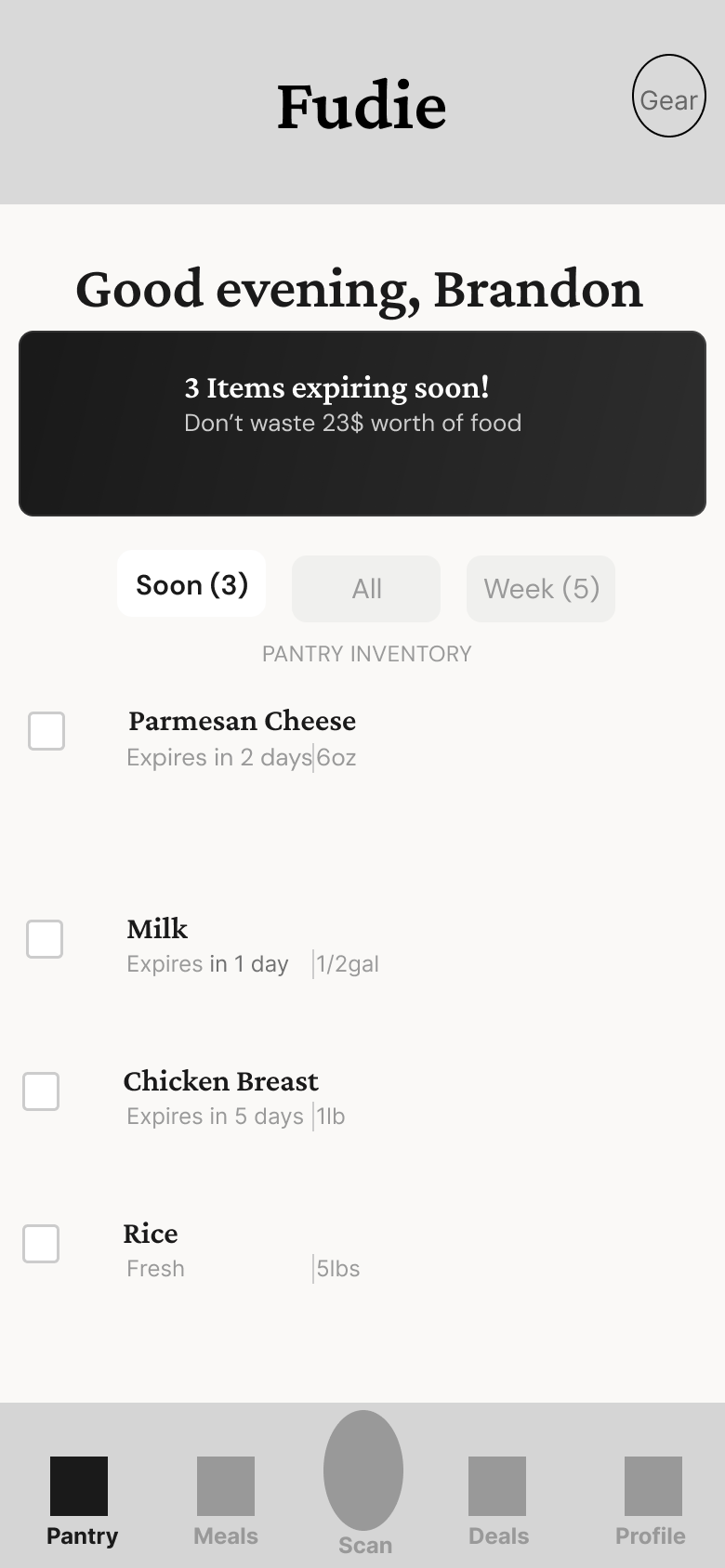
Every decision was filtered through: would someone actually do this at 6pm on a Tuesday after work? The expiry alert banner is the first thing you see, with a dollar amount attached. The orange-to-red color progression across badges creates visual urgency without reading. Recipes are ranked by 'ingredients you're about to lose' — turning guilt into action.
Wireframes
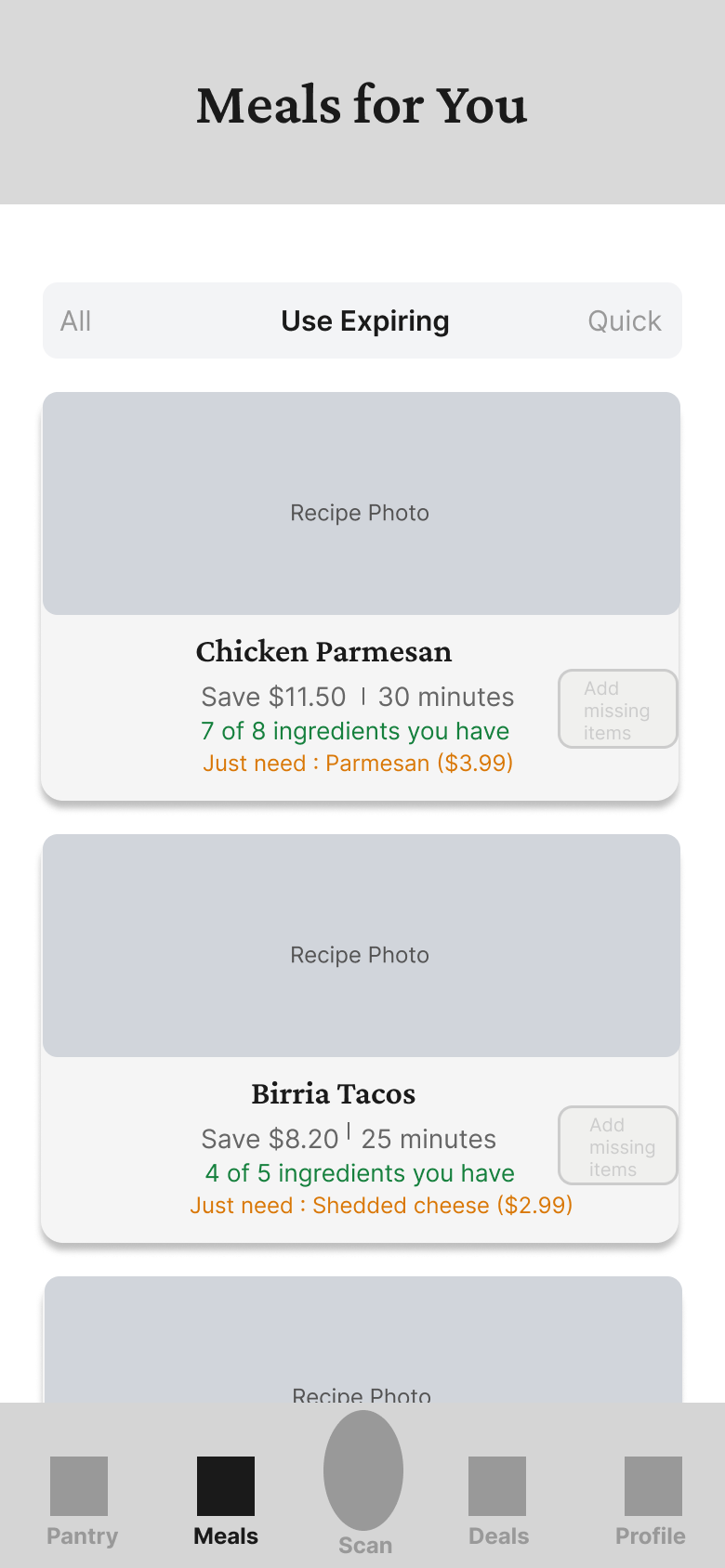
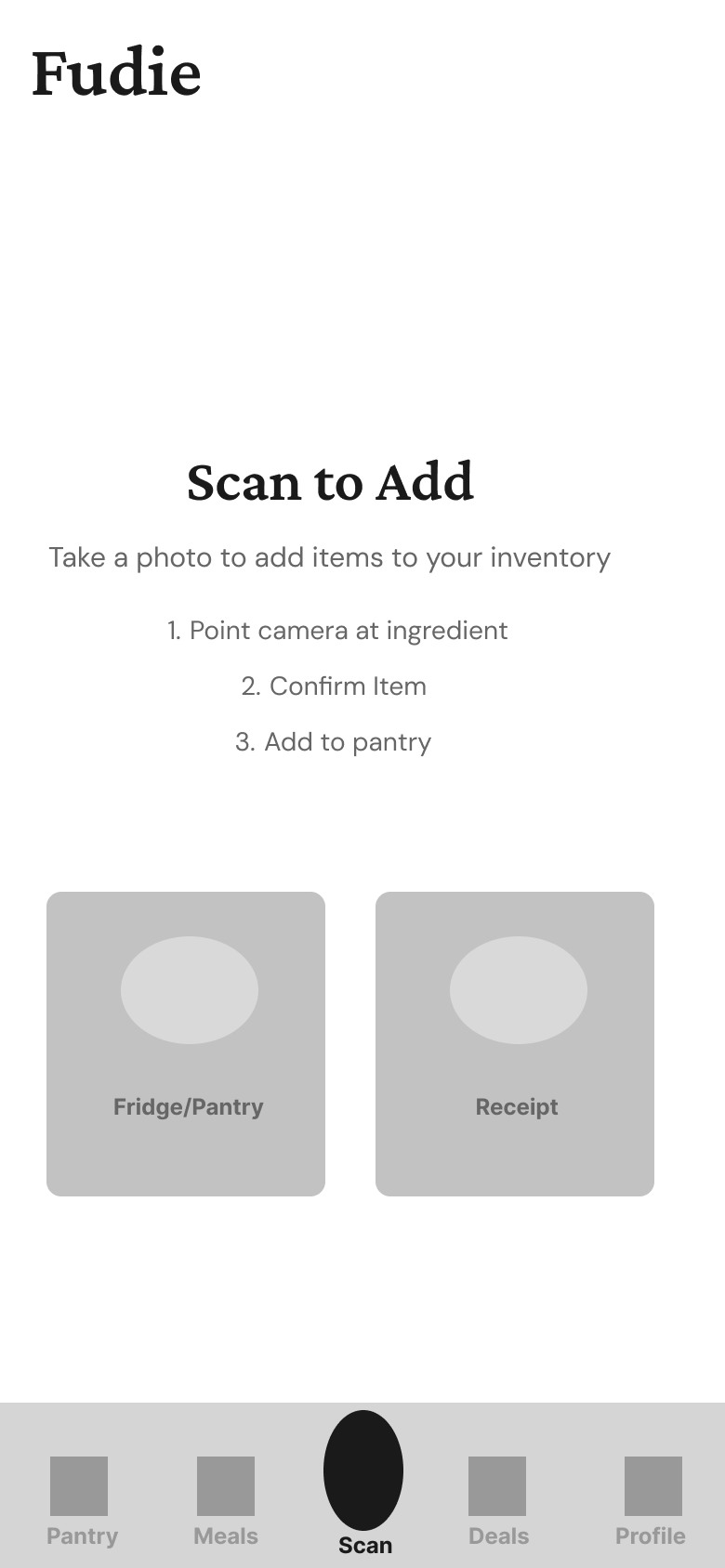
Low-fidelity exploration of core screens and user flows
Pantry
Meals
Scan
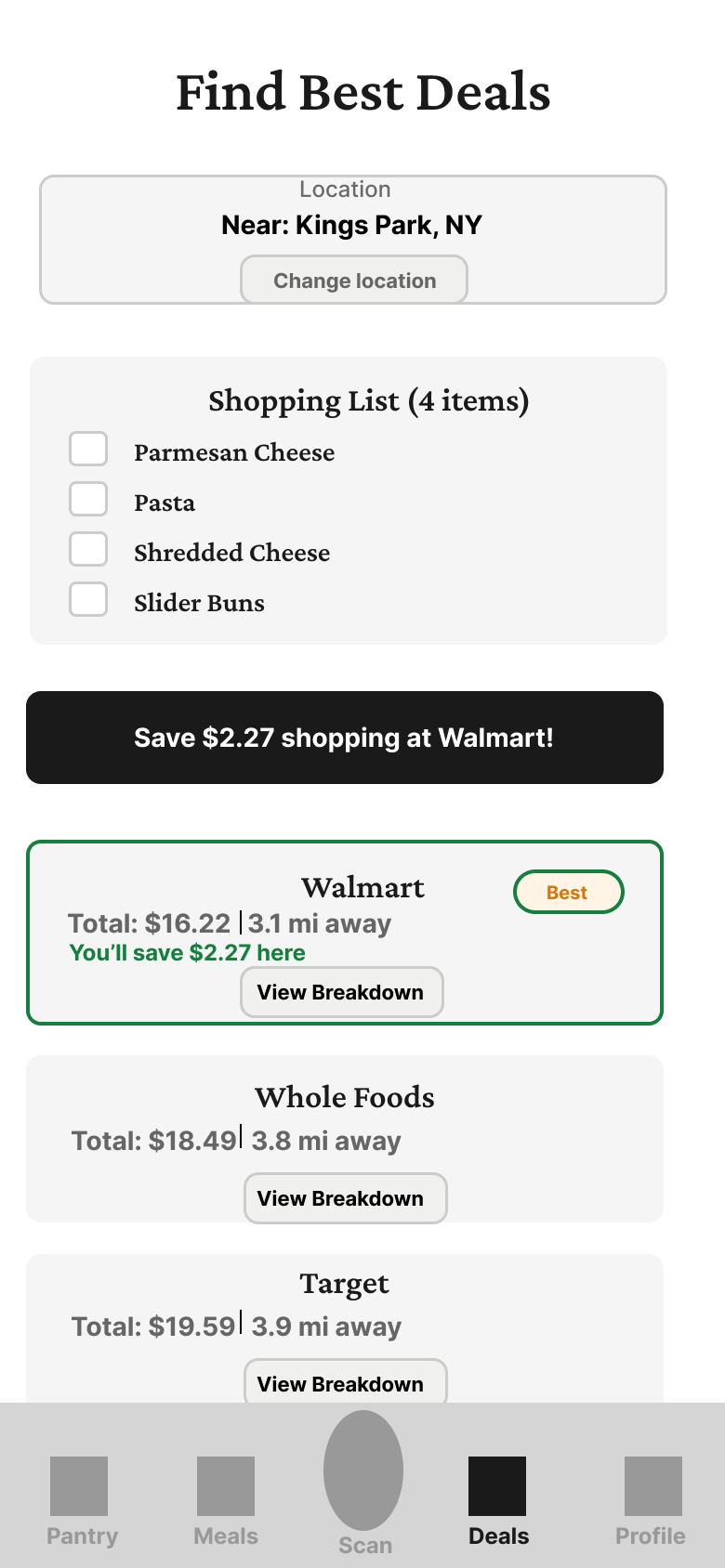
Deals
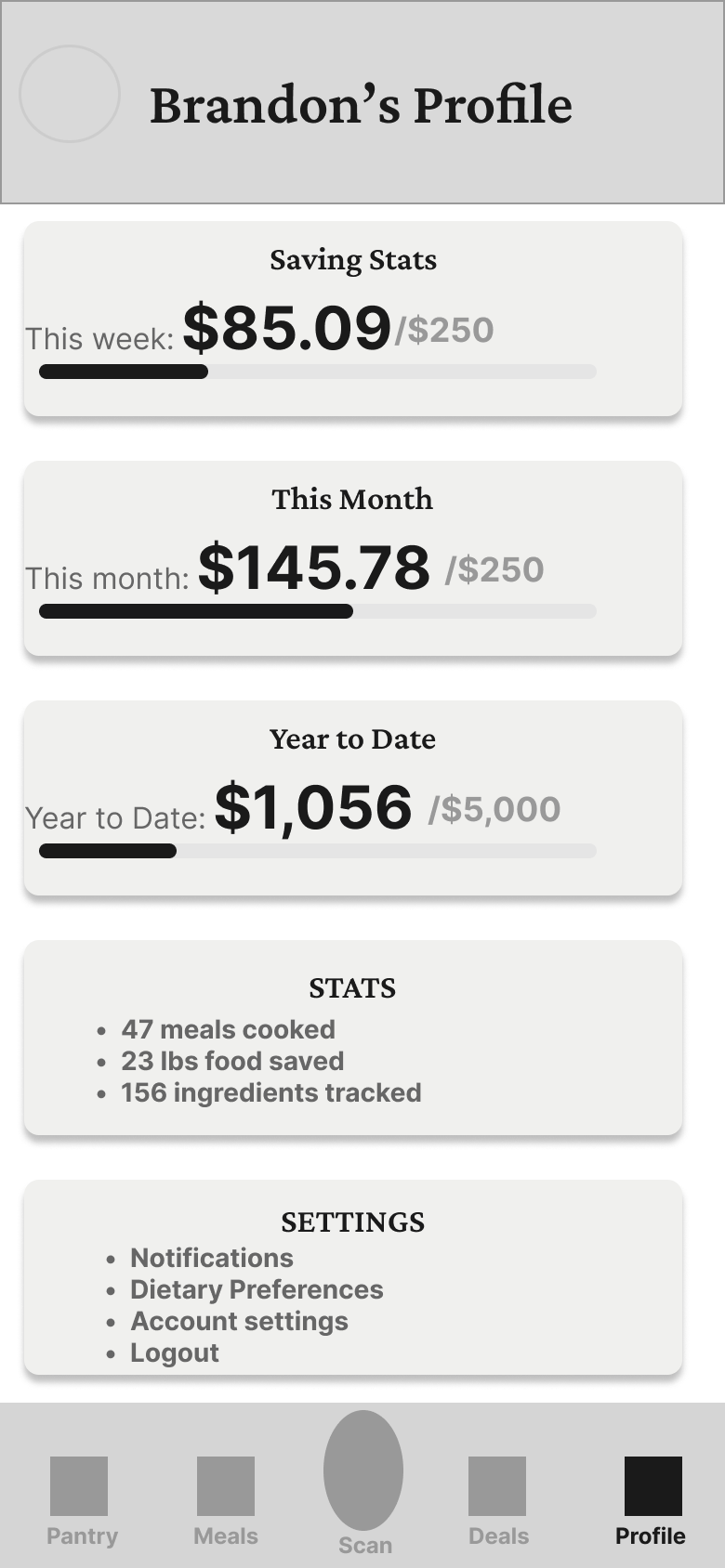
Profile
High-Fidelity Screens
Final designs with complete design system applied
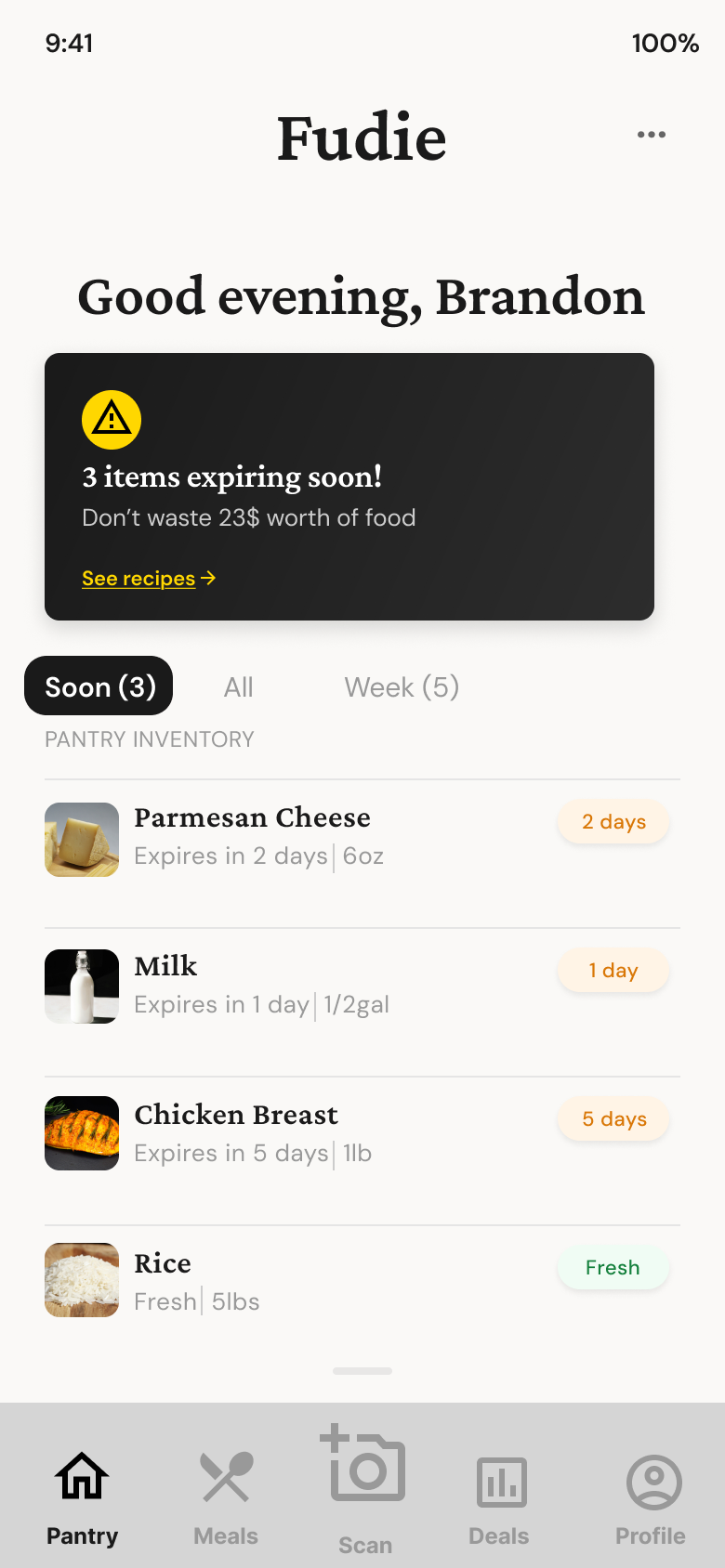
Pantry
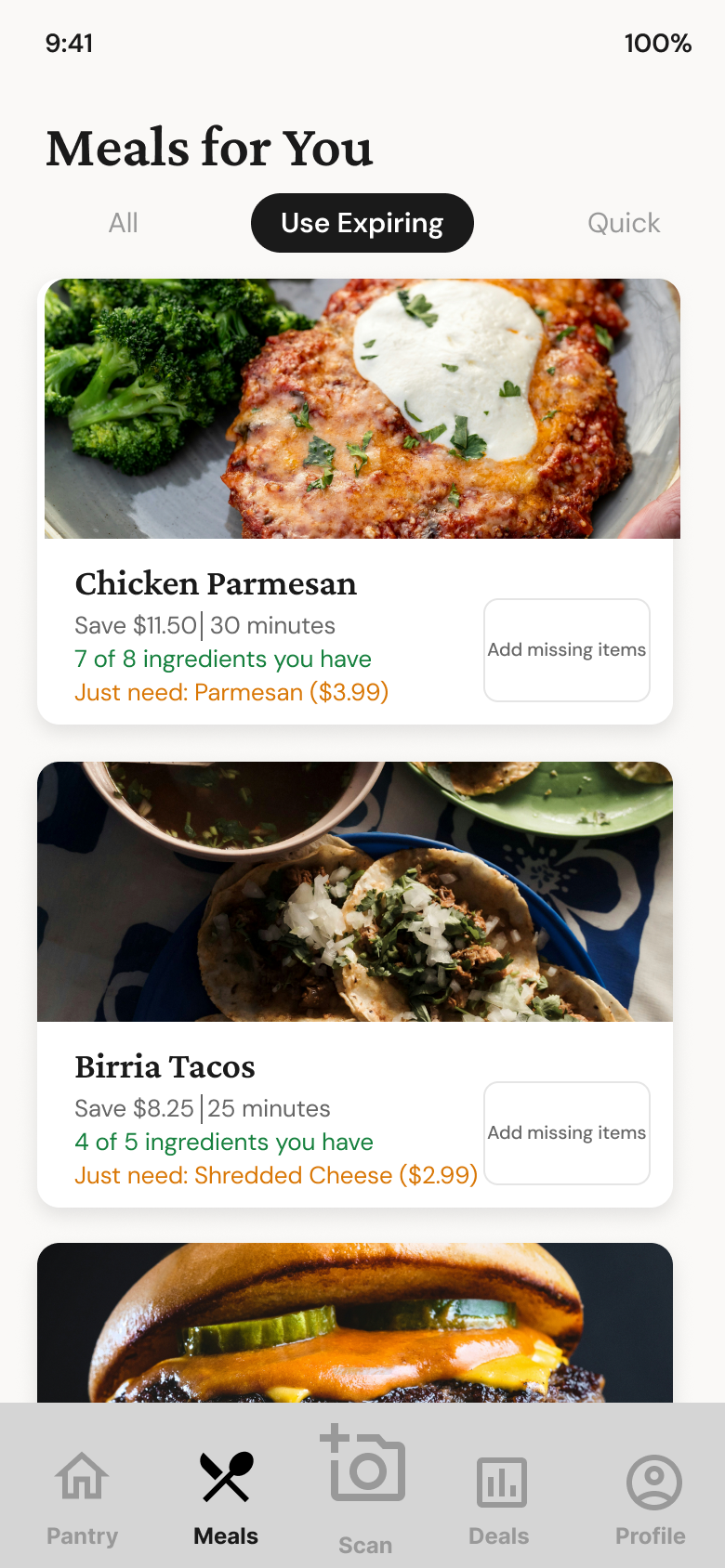
Meals

Scan
Deals
Profile
Visual Foundation
Color Palette
Typography Scale
Component Specs
Final Design
A closed-loop system: scan groceries, get warned before anything expires, cook what needs to be used first, buy what's missing at the best price. Every screen feeds the next.
Smart Pantry with Dollar-Value Alerts
The first thing you see: '$12.40 of food expires in 3 days.' Color-coded badges (green to orange to red) create visual urgency. Filter by 'Expiring Soon' to see what to use tonight. Abstract waste becomes a concrete dollar figure.
Meals Ranked by What You're About to Lose
Recipes sorted by how many expiring ingredients they use. Each card shows savings ('Save $4.20 tonight'), cook time, and exactly which items are missing with prices. Not 10,000 recipes — the 3 that use the chicken and spinach expiring tomorrow.
5-Second Scan-to-Pantry
Barcode or receipt scan, confirm items, done. No manual entry. This is the make-or-break feature — if adding items takes more than a few seconds, the habit never forms and the whole system collapses.
Missing Ingredients at Best Price Nearby
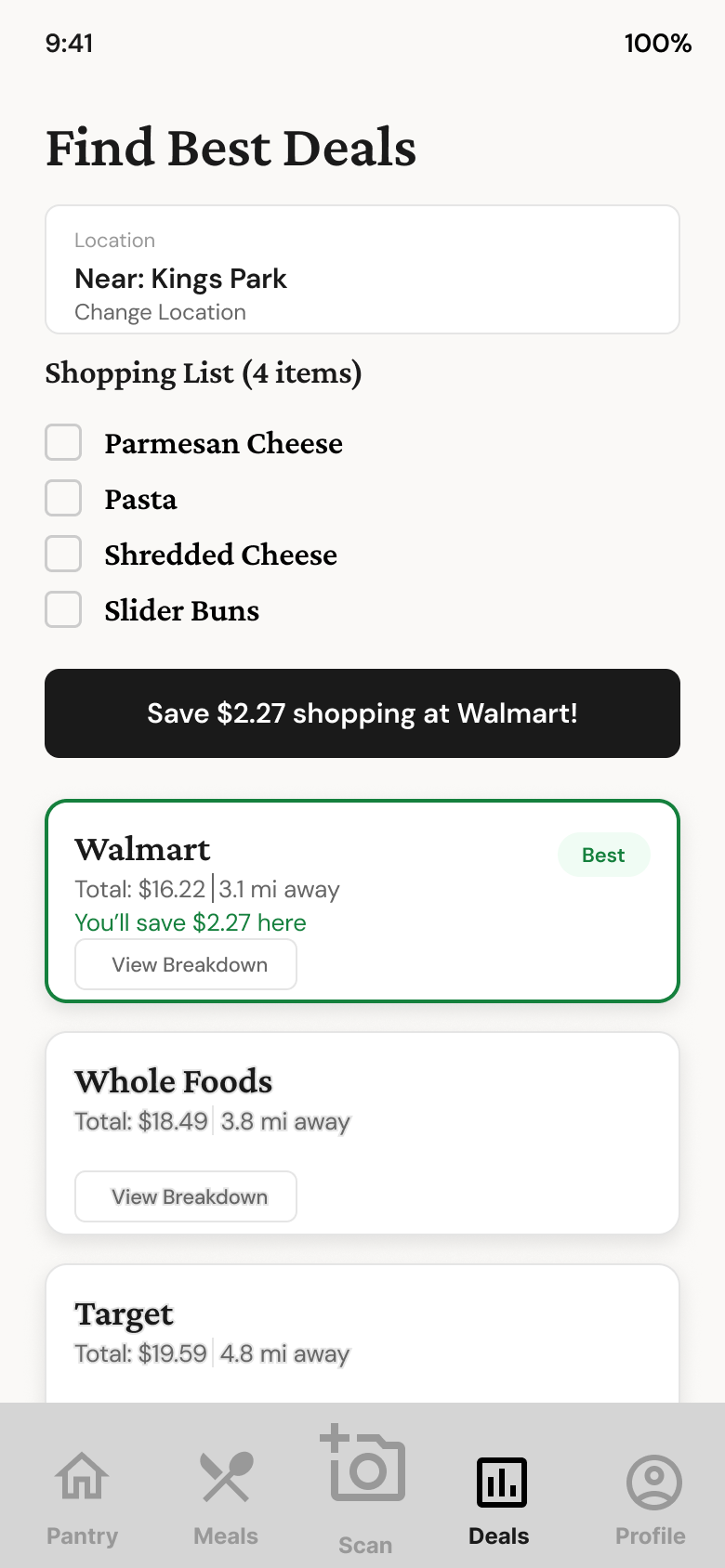
When a recipe needs items you don't have, Fudie auto-generates a shopping list and compares prices across nearby stores. A 'Best Deal' badge highlights the cheapest option. You're not just reducing waste — you're spending less on replacements.
Decision Points
Fudie's core bet: urgency drives behavior change better than planning.
What should the home screen show — pantry inventory or recipe suggestions?
Open to recipe suggestions like every competitor — browsable, Pinterest-style discovery
Open to the pantry with an expiry alert banner showing the dollar value of food about to go bad
Recipe browsing doesn't reduce waste — it adds to the grocery list. Starting with 'You have $12.40 expiring in 3 days' creates urgency that drives action. 67% of users discover expired food while cleaning, not before meals.
How should users add items to their pantry?
Manual entry with text input, category dropdown, and date picker
Barcode scan and receipt scan as primary, manual entry as fallback only
Apps requiring manual inventory entry see 73% abandonment within 7 days — the habit never forms. Barcode scanning cuts entry time by 80%. If input doesn't survive the first week, the entire product collapses.
How should recipes be ranked?
Rank by popularity and taste preferences — standard recipe app approach
Rank by number of expiring ingredients used — 'what saves you money tonight' over 'what sounds best'
Fudie isn't a recipe app — it's a waste reduction tool that uses recipes as the mechanism. Each card shows a dollar amount saved, turning the decision from 'what do I want?' into 'what saves me money?'
Results & Outcomes
Usability testing with 8 participants validated the behavior loop. Every single tester engaged with the expiry alert banner first, then navigated to meals — the exact sequence the app was designed to encourage. Scan-to-add averaged 4.2 seconds per item, under the 5-second target.
Fudie started because my roommates threw away a full bag of salad mix every single week. The problem wasn't that they didn't care — no tool met them at the moment the decision happens: 6pm, kitchen, trying to figure out dinner. The app had to start with what's about to go bad, because urgency is the only thing that beats the 'just order DoorDash' impulse. The hardest problem was the scan flow — if it takes more than 5 seconds, people stop by day three, the pantry goes stale, and the whole system collapses.